What goes in a daily sales report
- The date, and the shop or outlet if you have more than one.
- Each item sold, with the quantity and the amount.
- The day's total sales.
- Discounts given and items returned.
- How customers paid, for example cash or card.
- Money customers still owe you.
- A short note, such as an item that ran out or a busy hour.
Sample daily sales report
This sample uses made-up products and prices to show the layout. It is not real sales data.
Daily sales report: 12 March (sample data)
| # | Product name | Quantity sold | Total sales |
|---|---|---|---|
| 1 | Bottled water 0.5 L | 24 | $36.00 |
| 2 | Bread loaf | 15 | $30.00 |
| 3 | Cooking oil 1 L | 6 | $48.00 |
| 4 | Rice 5 kg | 4 | $80.00 |
| 5 | Sugar 1 kg | 10 | $22.00 |
| Total | 59 | $216.00 |
Download this sample as a CSV file and open it in Excel or Google Sheets.
How to read it in two minutes
- Compare the total with your money. The total sales should be close to the cash, card and credit you actually recorded for the day.
- Find your top items. In the sample, rice and cooking oil together bring in more than half of the day's sales ($128.00 of $216.00), so running out of either costs you.
- Compare with the same day last week. One day tells you little. The same weekday a week earlier tells you whether today was normal.
Make the report by hand or in a spreadsheet
- List every sale as it happens: item, quantity, amount.
- At closing, add up the quantity and the amount for each item.
- Add the item totals to get the day's total.
- Save a copy with the date in the file name.
Our free daily sales tracker does the adding for you in your browser and exports a CSV for Excel or Google Sheets.
Get the report from Daily Sales Record
If you sell all day, typing every sale again into a spreadsheet is the slow part. In Daily Sales Record you record each sale once, and the reports are generated from those sales.
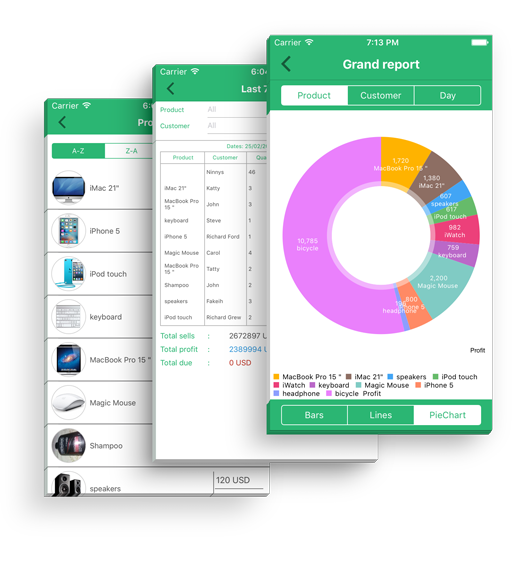
- In the app: generate reports for a day, a week or a month, view them as bar, line or pie charts and export them to PDF. Excel export is part of Pro.
- On the web: the Daily Sales Totals report shows, for any date you pick, each product's quantity sold and total sales. You can print it or download it as a PDF.
Download on the App Store · Get it on Google Play · Sign in on the web
Looking for more than a report? Read about the free sales tracker and sales tracking app.
Frequently asked questions
What is a daily sales report?
A daily sales report is a one-page summary of what you sold in a day: the items, the quantities, the amounts and the total. Shop owners use it to check the cash drawer and to see what sells.
What should a daily sales report include?
At minimum: the date, each item sold with its quantity and amount, and the day's total. Useful extras are discounts, returns, how customers paid, money still owed to you and short notes such as items that ran out.
How do I make a daily sales report in Excel or Google Sheets?
List every sale as it happens, then at closing total the quantity and amount per item and add up the day. You can download the sample CSV on this page and open it in Excel or Google Sheets, or use our free browser tool, which exports a CSV.
Can Daily Sales Record export a daily sales report?
Yes. In the app, reports can be generated for a day, a week or a month and exported to PDF; Excel export is part of Pro. The web version has a Daily Sales Totals report for any date that you can print or download as PDF.
How often should I check my sales report?
Look at it at closing time every day, then compare a few days side by side once a week to spot your best and slowest items.