Use Daily Sales Record on a PC in four steps
- Open the web version in a modern web browser.
- Sign in with Google, or with your email address and password. If you are new, create an account.
- Add your customers and products.
- Record your sales and open your reports.
What you can do in the web version
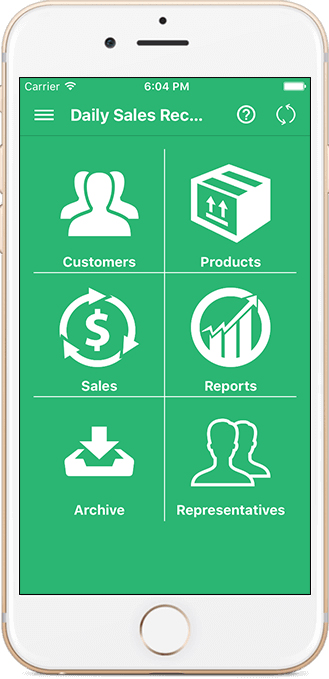
- Manage customers and their details.
- Manage products and inventory. The free plan has a limit on the number of products; Pro removes it.
- Record sales. Pro adds a point-of-sale screen for the counter.
- Create quotations. Invoices are part of Pro.
- Record expenses and purchases from suppliers.
- Run reports, including the Daily Sales Totals report: pick a date, see each product's quantity sold and total sales, then print it or download a PDF.
- Add salesmen or representatives (Pro).
See what a daily sales report looks like before you start.
Windows, Mac and the phone apps
- Windows PC: use the web version in your browser. There is nothing to download or install.
- Mac: use the web version in your browser. The App Store page also lists Mac as compatible (macOS 12.5 or later), so check the listing on your Mac.
- Phone or tablet: the iPhone and iPad app is on the App Store and the Android app is on Google Play. Your data stays accessible across your devices when you sign in with the same account.
Get set up in your first hour
You do not need to enter your whole shop on day one. A simple order works well:
- Write down your 20 best-selling products with their selling prices. If you know what each one costs you, note that too.
- Add those products first, then add the rest as you sell them.
- Add your regular customers, and note what any of them still owe you.
- Record the day's sales as they happen.
- At closing, open the daily report and check the total against your cash and other payments.
If the PC is shared or sits at a counter, sign out when you finish so that nobody else can open your sales.
Is it free?
Daily Sales Record is free to start. The free plan has limits on the number of products and on sales per month. Optional Pro plans remove the limits and add features such as invoices, the point-of-sale screen and representatives on the web. The plan details are shown before you pay.
Why use it online instead of a spreadsheet?
A spreadsheet needs you to type each sale and build your own totals. In Daily Sales Record you record a sale once, and the customer list, stock and reports all come from that record (with Pro, invoices too). You do not retype anything.
If you only want to try a simple tracker first, use our free daily sales tracker in your browser. For more about the app itself, read about the sales tracking app.
Frequently asked questions
Is Daily Sales Record available for PC?
Yes, as a web version. Open it in your browser, sign in and start. There is nothing to install.
Is there a free Windows download?
On a Windows PC, use the web version in your browser. There is nothing to download or install.
Can I use it on a Mac?
Yes. Use the web version in your browser. The App Store page also lists Mac as compatible (macOS 12.5 or later); check the listing on your Mac.
Will my sales show on both my phone and my PC?
Your data stays accessible across your devices when you sign in with the same account.
Is it free?
It is free to start. The free plan has limits, for example on the number of products. Optional Pro plans remove the limits and add features such as invoices, the point-of-sale screen and representatives on the web; the plan details are shown before you pay.